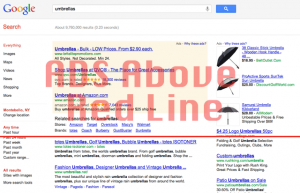

8 SEO Tricks your Do NOT Want to Use – Avoiding the Google Penalty Box

Part I

Anyone entering the world to search engine optimization certainly will learn pretty quickly about different neat tricks of the trade. Some of these practices are legitimate (…in the eyes of Google) and will not result in a penalty or outright ban from the search engines.

But others – known in the trade as ‘black hat’ – are questionable at best these days. Some of these practices were okay back in the 90’s when search engines were still in their infancy. Today they’re much more advanced though and can easily spot many of the practices I’ll outline below.

One thing you need to remember though – when we say search engines, we primarily mean Google. They capture over 2/3 of the Internet’s searches. When you’re optimizing a website for the search engines, you’re primarily working with Google from an SEO perspective.

Continue reading for 8 SEO tricks you want to avoid altogether. Doing so is your best insurance against being penalized by Google.

Because once you’re in that hole, it’s a real challenge to dig yourself out.

8 ‘Black Hat’ SEO practices you should avoid at all costs (1-4)

The practices described below are generally considered by Google to be ‘black hat.’ If they decide to manually review your site’s code and remove you from their listing, it can take a long time to recover. It’s best to avoid these practices involving keywords, links and other technical elements of your website.

1. Keyword stuffing – a practice that’s been around awhile

Keyword stuffing is perhaps the oldest trick in the book when it comes to SEO. Search engines loathe keyword stuffing and can absolutely detect it. Basically, keyword stuffing consists of repeating keywords over and over again. It usually appears at the bottom of a page in very small text.

If you’re trying to target the phrase ‘mountain vacations’, one common keyword stuffing move would look like this in your site’s code:

<h6>mountain vacations mountain vacations mountain vacations mountain vacations mountain vacations mountain vacations mountain vacations mountain vacations mountain vacations mountain vacations mountain vacations</h6>

As you may or may not know, an <h6> heading makes text very tiny. Including this on the bottom of a webpage isn’t noticeable by people but is noticed by search engines. In the early days of SEO, this is how webmasters got their sites to the top of the search engines.

Keyword stuffing can also be done in meta-description, keyword and image ALT tags.

For ALT tags, say we have an image and include our keyword in the alt and title tags for the image. This is considered keyword stuffing by Google and will land you in trouble.

To see if any webpage has any of these elements, simply use the ‘Source Code’ feature on your browser.

While it’s possible to trick the search engines for awhile if you’re really experienced, they almost always detect keyword stuffing and act accordingly. Also, it’s possible competitors will file spam reports with Google so avoid keyword stuffing.

2. Invisible, barely visible or hidden text

A constant dilemma for search engine marketers is to develop web pages that appeal to both visitors and the search engines. The dilemma is the fact that search engines love simple pages with lots of content.

Real people like pages with animation, graphics and lots of special effects – the very same elements search engines cannot crawl and index.

One of the ways SEOs used to get around this was to create text that’s invisible or hidden. But with today’s more sophisticated search engines, this can be construed as keyword stuffing and get you in trouble.

One way webmasters would do this is to create text as the same, or near identical, color of the page’s background. Doing this in effect means the visitor won’t see any words but the search engines will find all of those keywords.

For example, you can have a white background <bgcolor=”#FFFFFF> with a text font of white <fontcolor=”FFFFFF”>. It’s also possible to use a slightly different text color by offsetting one of the colors a little bit. This will be a little harder for the spiders to detect but if Google manually reviews it, they will definitely catch it.

CSS is another creative way webmasters have adapted the hidden text strategy. They basically would use Cascading Style Sheets (CSS) to hide text from humans while making it available to search engines.

Below is an example of our keyword using a CSS visibility: hidden font format.

<div style=”visibility:hidden;”>mountain vacations mountain vacations mountain vacations mountain vacations mountain vacations mountain vacations mountain vacations mountain vacations mountain vacations mountain vacations</div>

To see the text, someone will have to look at your page’s source code.

Human reviewers at Google do review sites so once they check yours out, they’ll certainly see you’ve done this if you have. There’s only one instance where it’s okay and that’s if you use CSS sheets that let you tab hidden and unhidden text. These kinds of things are common with product listings on ecommerce sites.

This is generally viewed to be okay we think but in order for that to be the case, the user must have the option to choose whether or not to view the text.

One more way to hide text using CSS sheets is to use layers and place text behind pictures or other objects on the page. Known as the z-index function, the webmaster would simply assign the viewable item a higher z-index number than the hidden text.

Next, they would use another CSS function called absolute positioning to position the text and image in the same exact location.

Again, this tactic is harder for a computer to detect but careful review by someone will certainly reveal it. It’s best to avoid this or any other tactics designed to hide text from visitors but make it viewable by the search engine spiders.

3. Selling links for the purpose of increasing a target URL’s PageRank

Another practice search engines frown profoundly on is selling links on your site. Paid links often look unnatural and if you see them, none of them have anything in common. Take the following example for instance, which you may have seen across the bottom of some web pages:

Mountain vacations – Plastic Surgeons in Florida – Buy Gold – Used Cars for Sale

As you can tell, none of these have anything to do with the other, which is a tell-tale sign of selling links. If the links are all for businesses located in the same town for example, then there’s no problem. But if a page has links going to an offshore gambling site, then there’s more risk of getting into trouble.

Using reciprocal link directories can also result in a penalty in some situations, especially if they have a wide focus of unrelated content.

Somewhat related to selling links is the risk for your site getting infected by Malware or being hacked. If you’ve setup your Google Webmaster’s Toolbox, then you should receive a warning from Google saying your site has been hacked or hosting Malware.

If you end up in Google’s penalty box for selling links, it can take some time and effort to get out. First you should remove the links and promise Google to never do it again. It usually takes 3 months or longer between the time they set your PageRank to zero and you get back in.

Many webmasters though find the profits too good to pass up despite the rigid warnings and penalties for selling links. Check out Google’s Webmaster Guidelines to learn more about their position on this topic.

4. Hidden Links and the Phantom Pixel

Another couple of practices involving links that Google really can’t stand and loves to penalize sites for are hidden links and what’s known as the phantom pixel.

Hidden links are basically links obscured from a visitor’s view that are strategically placed to direct the search engine to an unrelated site. The webmaster likely wants these off-topic sites to be indexed and rank well. Using hidden links boosts link juice (…or PageRank) on favored web pages.

Whether paid for or not, the point is the links are NOT there for the site visitor to find. Since they hold no value for the site visitor, Google and other search engines penalize sites that have them.

Techniques for hiding links are quite similar to invisible/semi-visible strategies for keywords. CSS layering like we discuss above is another strategy. Heck, you can even include links in the period at the end of a sentence. Even though the link is still technically invisible, search engines will still consider it a hidden link and act accordingly.

Phantom pixels are much like the invisible or hidden link in a period at the end of a sentence but instead the link is placed in a 1×1-pixel image. These images can also contain keywords in their alt tag like we talk about above but webmasters also use these super small images for hiding links.

Like other things we’ve talked about today, phantom pixels are another way for your site to be penalized or even banned – assuming Google discovers these ‘black hat’ tricks on your site.

And eventually you can assume you will be caught.

While the search engine spiders may not be able to catch everything, a manual review of your site’s source code certainly will…so take our word for it, be careful by not using any of these or the other 4 ‘black hat’ SEO tricks we’ll get into next time.

Check back with us late Monday to learn about the other 4 ‘black hat’ SEO tricks you should avoid like plague.

And if you’ve used any of these techniques, briefly tell us about your experience and how you dealt with any penalties.

“Don’t Make Me Think” – A Common Sense Approach to Web Usability – Review & Summary Part III

And for the final part of our book review on Don’t Make Me Think, author Steve Krug addresses a few other concerns you’re likely to encounter when designing your website. He details the ‘common courtesy’ of having a usable website and the concepts of goodwill – ways you can boost goodwill as well as ways it can get destroyed.

He also outlines other issues to like accessibility for people with disabilities and the importance of including elements in your page to help ALL visitors, not just the perfect ones you’ve identified through market research. The final chapter quickly discusses ways to convince your boss of the validity of your recommendations. Some bosses and executives may have a difficult time understanding the virtue of good web usability. Krug gives some great examples for you to consider.

If you haven’t seen them yet, read parts I and II of our book review to fully understand the intricacies of web usability.

Section IV – Larger Concerns and Outside Influences

Chapter 10: “Usability as common courtesy – Why your Web site should be a mensch”

Besides building clarity into your website, you also need to be considerate of your users as well. Is your site clear? Does it behave badly and erode goodwill among users?

Consider this:

You’re booked on a flight but a pilots’ strike begins two days before you’re scheduled to leave. You go to the airline’s website to find information about the strike. After searching for awhile you give up amid frustration. Undoubtedly, this erodes much goodwill you had toward the airline.

Users in fact, including you, have a reservoir of goodwill. You begin very optimistic and eager to find what you’re looking for. Not

From Don’t Make Me Think: A Common Sense Approach to Web Usability. © 2006 Steve Krug. Used by permission

From Don’t Make Me Think: A Common Sense Approach to Web Usability. © 2006 Steve Krug. Used by permission

everyone’s reservoir is the same…some people have a shorter fuse than others. And this also depends on the situation. Your goodwill will drain away quicker if you’re in a hurry.

Fortunately, goodwill is refillable so if the site makes some mistakes but makes up for it, the user will leave in a good mood and more likely to return.

Here are some things that erode goodwill:

1.       Hiding information people are looking for

2.       Punishing users for not doing things your way

3.       Asking for information you don’t really need

4.       Shucking and jiving users

5.       Putting too much ‘sizzle’ (i.e. Flash intro) in the way

6.       Site looks amateurish

And some things that increase goodwill:

1.       Knowing what your visitors are looking for and making it obvious and easy

2.       Telling your visitors what they want to know

3.       Saving steps

4.       Putting effort into your site

5.       Making it easy to recover from errors

6.       Providing creature comforts like printer-friendly pages

Doing things like this and more to increase goodwill is not only courteous, but good business practice. If people coming to your site have an easy time and enjoy themselves, they’ll be more likely to return and tell their friends.

Chapter 11: “Accessibility, Cascading Style Sheet, and you”

Unless you decide all of your users are perfect in every way, you’re going to need to think about accessibility. Adding features into your site for disabled persons is not only good business, it’s the law.

Specifically, the law is what’s known as Section 508 of the 1988 Amendments to the Rehabilitation Act, which specifies information technology accessibility standards for companies wanting to do business with the U.S. Government.

When discussing accessibility, designers and developers naturally get a little anxious since it potentially means more work for them. Making a site accessible is definitely harder than it should be, but well worth it from both a legal and business standpoint.

To understand how to make your site accessible, there are several articles and books you can read like Building Accessible Websites by Joe Clark and Constructing Accessible Websites by Jim Thatcher and others.

Using Cascading Style Sheets (CSS) is one thing you can do to make an accessible website. In the beginning of the Internet, everything was text. Designers and developers didn’t have much control over layout so they began using tables.

CSS sheets give you much more control over formatting, consistency among browsers and other benefits. CSS sheets also allow you to make specific changes in your site’s HTML code to make it more accessible.

Chapter 12: “Help! My boss wants me to_______”

There will be times your boss will want you to do things that are not good from a usability standpoint.

Maybe they’ll want the site to ask users for more personal information than you need. Or maybe they want more ‘pizazz’ to the site – things like splash pages, animation and music.

Steve provides some great examples of letter he’s written to CEOs and other executives warning them about the dangers of doing these things and others.

Well that brings us to the conclusion of Don’t Make Me Think. It’s a very interesting read and easy too – if you’ve got about 4-6 spare hours (…whew, who does?), you can easily read it in one sitting. If not, put it down and easily pick up right where you left off.

To conclude, all of the tips or ‘rules’ outlined here and detailed more in the book are not iron clad. There are certain situations – or interfaces – where doing something contrary to what’s in the book or on here is okay. If your site for instance is designed to make people think, puzzle or challenge them, then by all means do what you got to do.

You can buy Don’t Make Me Think on Amazon for a great price. I certainly recommend it if you want to learn more about a core issue

From Don’t Make Me Think: A Common Sense Approach to Web Usability. © 2006 Steve Krug. Used by permission

From Don’t Make Me Think: A Common Sense Approach to Web Usability. © 2006 Steve Krug. Used by permission

to being successful online.

Let us know if you’ve picked up a copy and your thoughts…we’ll provide further updates into the year.

Until next time…

“Don’t Make Me Think” – A Common Sense Approach to Web Usability – Review & Summary Part II

Now that we’ve summarized the guiding principles of making a ‘usable’ website in part I, it’s now time to delve into practical tips for designing your homepage, navigation and testing your results.

(…tune in later for a few graphic images to help you understand better. Or, order a copy of the book and have all of Krug’s ideas at your fingertips)

Happy Reading!!!

Section II – Things You Need to Get Right

With these guiding principles in mind, now it’s time to see how these principles apply to the two biggest and most important challenges in building a website. That of course is the navigation and the Home page.

Since each of these chapters is quite long, I won’t be able to cover everything but hopefully you should be able to easily get the basic idea. For more, get yourself a copy of Don’t Make Me Think from your local bookstore or Amazon.

Chapter 6: Street signs and Breadcrumbs – Designing Navigation

If someone can’t find their way around your website, they won’t use it…it’s that simple. As web users too, just think about how you feel when you’re on a site that’s hard to navigate. You get fed up, leave and probably never return.

So how do I create clear and consistent navigation then?

Krug uses the analogy of a brick and mortar store which is good. Grocery stores, department stores and other retail outlets generally have navigation in a store to help you find what you’re looking for. First you start with the department the item is likely to be in then you move on to find the particular aisle.

Web navigation and site hierarchy works the same way.

When arriving at a site, users are generally looking for something, be it information or an actual product. Like an old fashioned store, they decide to either browse or ask someone. In the online world, browsing is akin to using navigation to find something. Asking someone is the equivalent to using a site search (…a feature all sites should have)

Navigation gives us something to hold onto when surfing a site. It tells us what’s here, how to use the site and gives us confidence in the people who built the site. Navigation elements include a Site ID, Sections, Utilities and Subsections (See illustrated examples on p. 61).

Persistent navigation elements need to be included so users know where they are at all times. Navigation elements should not (…and in fact cannot) be exactly the same throughout your site.  But the following elements should be on all pages (except pages w/ forms like a checkout or signup and the homepage):

  • Site ID
  • Sections
  • A way home
  • A way to search
  • Utilities
From Don’t Make Me Think: A Common Sense Approach to Web Usability. © 2006 Steve Krug. Used by permission

From Don’t Make Me Think: A Common Sense Approach to Web Usability. © 2006 Steve Krug. Used by permission

Other ways to counteract the whole “lost in space” reputation the web has is to leave what are called breadcrumbs in your navigation. Include a clear hierarchy on each page and be sure you highlight someone’s current location in whatever navigational bars, lists or menus appear on your page.

And be sure the current location indicator clearly stands apart from other elements on your page…simply saying ‘you are here’ is too subtle and ends up just adding more noise to the page.

Tabs across the top are another way you can help people easily identify where they are on a site.

Once you have a mock-up of a page’s navigation, Krug suggests trying what he calls a trunk test. Imagine someone threw you in the trunk of an old Cadillac, drove you around for awhile and dropped you off on a page deep within a site (metaphorically of course).

Well designed pages answer the following questions without hesitation:

  • What site is this? (Site ID)
  • What page am I on? (Page name)
  • What are the major sections of this site (Sections)
  • What are my options at this level? (Local navigation)
  • Where am I in the scheme of things? (“You are here” indicators)
  • How can I search?

See examples of a trunk test beginning on page 85.

Chapter 7: The first step in recovery is admitting that the Home page is beyond your control – Designing the Homepage

Homepages are the water-front property of a website. They have to accommodate several things like site identity and mission, site hierarchy, site search, teases, promos, timely content, deals, shortcuts and registration if that applies to your situation.

In addition to these needs, a homepage needs to meet a few more abstract objectives like:

  • Show me what I’m looking for
  • …and what I’m not looking for
  • Show me where to start
  • Establish credibility and trust

And to add insult to injury, you’ve got to be able to do all of this blindfolded. What Krug means by this is everyone in your company wants a piece of the action on a homepage. They want a promo or a link to their section. This is where intense internal turf battles regarding websites emanate from.

Homepages can’t do everything and those who try and make them do everything usually create a cluttered homepage. Failing to convey the big picture is usually the first casualty if you approach the homepage this way.

So how do I communicate the big picture?

Everything on the homepage should contribute in some way to helping us understand what the site is about. However, there are two important spots you should place explicit statements of what your site is about. One is the tagline usually located next to your company’s name in the top left of the page. The other is the welcome blurb.

A tagline is located in probably the most valuable bit of real estate on your homepage right next to your Site ID. In a few short words, it describes what your entire site is about. The welcome blurb is a more terse description of the site that’s usually displayed in a prominent spot on the homepage that’s visible without scrolling.

From Don’t Make Me Think: A Common Sense Approach to Web Usability. © 2006 Steve Krug. Used by permission

From Don’t Make Me Think: A Common Sense Approach to Web Usability. © 2006 Steve Krug. Used by permission

Not everyone will use or even see these elements on your page. Most users simply try and guess what a site is. If they can’t, you definitely want a place where they can go find out.

Section III – Making Sure You Got Them Right

Now that we’ve covered the general concepts and things to do on your homepage and navigation, it’s time to discuss implementation and testing. By implementation, I mean the internal disputes likely to erupt between different stakeholders and how you should handle them.

Testing is pretty self-explanatory except for one thing – many websites don’t bother testing since they think it carries a high price tag. Krug lays out ways you can do great testing at a low cost. Considering it helps you find problems with your homepage and navigation, its well worth the effort.

Chapter 8: “The Farmer and the Cowman Should Be Friends – Why most Web design team arguments about usability are a waste of time and how to avoid them”

As you probably can tell, it takes several different skills to build a website. You need a good designer, developer and business development team. And of course, you’ve got the CEO who has their own ideas.

Each of these players has a different perspective on the best route to take. A developer for example may like a site with lots of cool features but not much in the visual department. Designers will most likely think most users like visually appealing sites because they like visually appealing sites.

These two perspectives can often clash and cause bad feelings.

On top of that, a business development team and upper management focus more on making whatever promises are needed to attract customers, strategic partners, revenue-generating deals and venture capital to the site.

Art Kleiner details a culture split between developers/designers (craft) and business development/upper management (hype). This continuous struggle between hype and craft adds even more complexity to any discussions involving usability.

From Don’t Make Me Think: A Common Sense Approach to Web Usability. © 2006 Steve Krug. Used by permission

From Don’t Make Me Think: A Common Sense Approach to Web Usability. © 2006 Steve Krug. Used by permission

Debates that often ensue between these parties often are ‘religious’ in nature, meaning they can go on and on. Conversations like these generally involve people expressing strongly held views about things they can’t prove. These debates can go on for weeks while nothing gets accomplished with the website.

Another tendency all of these players fall into is thinking all web users are just like them. So many websites out there are designed with one user in mind. The team who put it together assumes the majority of web users are just like them so they design their site with that in mind. That’s where the myth of the average user comes in.

This belief can cause meetings to be rife with gridlock. After hours of debate, the team decides to find some way to determine what most users like and get a picture of their Average Web User.

Watching web users for many years, Krug certainly believes there’s no Average Web User.

We’re all unique in our own way of approaching the web, each with our own intentions, motivations and thought processes.

If you approach a site with the Average Web User mindset, the idea that good design simply involves you figuring out what people like gets reinforced. While it’s tempting and easy – pulldowns are good because most people like them or having links to every page on your site from your homepage – it certainly is rife with consequences.

In fact, there’s no right or wrong answers to these kinds of questions. You can ask users and certain percentage will say they like Flash while a certain say they won’t. Some people like to use navigation while others like search.

What works good is an integrated design that’s carefully thought out, well executed and tested and that also fills a need.

Speaking of testing, continue reading for a recap of ways you can test your site and address any usability issues.

Chapter 9 – “Usability testing on 10 cents a day – Keep testing simple so you do enough of it”

As Steve Krug will tell you, many companies like to wait until the last minute to do some usability testing. Some don’t even mess with it at all.

There’s many excuses for not testing – not enough time, not enough funds, no expertise, no facilities, lack of knowledge of how to interpret results – are just a few examples.

Many of these excuses are simple myths according to Krug, who explains how usability testing can be done for as little as 10 cents a day. If you can afford to hire a professional do so, but if you’re on a tight budget, you can do the following to learn about the weaknesses in your site.

  • Test three or four individuals rather than 8 or more like the pros
  • Almost anyone will do. Grab a few people from around the building
  • A lab can consist of any office or conference room. All you need is someplace quiet
  • Tests can also be done at any time without much scheduling
  • Decide which pages you’re going to show and run tests continuously throughout the design process
  • Debrief results with your team immediately after the tests

Try to find users that reflect your audience but don’t get too worked up about it. Get further perspective by finding people outside of your target audience. Offer reasonable incentive to your participants and avoid discussing the site with them beforehand.

There are two types of tests you will want to run throughout your development process. One is the “get it” test, which basically means exactly what it says. Does the test subject understand the purpose of the site, the value proposition, how it’s organized, how it works and so on?

The other test is the “key task” test where you ask the user to do something then watch them how they do it. See if more than one user gets hung up somewhere and address the problem immediately.

Typical problems users will encounter include the following:

  • They’re unclear on the concept
  • The words they’re looking for aren’t there
  • There’s too much going on

When you’re addressing problems though, go for the low hanging fruit and avoid the temptation to add things. Krug also suggests you should take ‘new feature’ requests with a grain of salt.

In the end, test early and relatively often. It’s a shame to see sites that obviously haven’t taken the time to see if their pages and navigation are usable.

In the next and final section, we’ll be discussing usability as a courtesy to others, accessibility for disabled users along with interactions with your superiors…so check back next Tuesday afternoon for third and final installment

“Don’t Make Me Think” – A Common Sense Approach to Web Usability – Review & Summary Part I

Web usability is a topic I’ve recently begun delving into to learn more about how to make websites more user-friendly.

No matter if it’s a website, an electronic device or a really nice car – if you can’t easily use it, you’re going to get frustrated pretty quickly.

This is especially true of websites…they must be user-friendly for each type of visitor coming to your website. There’s no one-size fits all here!!

With that said the title of a book I recently read on the subject – Don’t Make Me Think – sums up the purpose and spirit of making

From Don’t Make Me Think: A Common Sense Approach to Web Usability. © 2006 Steve Krug. Used by permission

From Don’t Make Me Think: A Common Sense Approach to Web Usability. © 2006 Steve Krug. Used by permission

sure your website is easily usable. If you remember anything from this, remember those 4 important words and you will understand the essence of good web usability, which should answer four important questions in a matter of seconds without the user having to think.

First of all, I’d like to say this easy-to-read book by Steve Krug is a must have for anyone wanting to market a business online. Krug’s strong visuals and eloquent prose help you easily visualize how homepages, sales pages and any other page on your site should be structured.

Besides the good writing and illustrations, the book is an easy read as well. Like Krug says in his introduction, it can easily be read in the time it takes to fly from New York to L.A.

Well enough of the glim and glam, let’s get down to the book and what it’s about. Continue reading for a brief overview of each chapter and the concepts Krug explores. Of course to fully understand web usability, I strongly suggest you get a copy of Don’t Make Me Think the first chance you get.

While this book isn’t very long, a blog post summarizing all of the important points would be. With that in mind, this review will be broken into two parts. Below is the first part of our review for your enjoyment and enlightenment. Check back in a few days for a summary of more of Krug’s insights (…and illustrations too).

Don’t Make Me Think – A Common Sense Approach to Web Usability by Steve Krug

Krug’s nearly 200 page book comes jam packed with illustrations and tips for making your website more usable. It’s divided into 4 sections and contains 12 chapters in all. Continue reading for a quick overview of each chapter.

Section I – Guiding Principles

Chapter 1 – Don’t make me think!

Krug’s first law of usability and the one thing you must remember when designing a website. Website visitors should be able to “get it” – what it is and how to use it – without having to think about it. In other words, it needs to be self evident to the point that someone with absolutely no knowledge of what you do can understand it in a matter of seconds.

Making people think when they land on your website saps their mental energy to continue. If your website is hard to navigate, it won’t take very long for someone to get mentally exhausted and leave.

From Don’t Make Me Think: A Common Sense Approach to Web Usability. © 2006 Steve Krug. Used by permission

From Don’t Make Me Think: A Common Sense Approach to Web Usability. © 2006 Steve Krug. Used by permission

Many websites contain things that do make us think. Cute or clever names are typical culprits along with marketing-induced names, company-specific names and unfamiliar technical terms. Links to buttons that aren’t obviously clickable is another source of question.

Rather than providing another checklist to follow, Krug says you should simply understand the basic principle of eliminating question marks. If you do that, you will be well on your way to making a very user-friendly website.

Chapter 2: How we really use the web

If you stop and think about it for a minute, most of us don’t read a webpage word for word. We glance at a page, scan some text and click on the first link that we think has what we’re looking for. Many web designers though create websites under the assumption people will laboriously pore over each page and weigh their options before choosing where to go next…nothing could farther from the truth.

From Don’t Make Me Think: A Common Sense Approach to Web Usability. © 2006 Steve Krug. Used by permission

From Don’t Make Me Think: A Common Sense Approach to Web Usability. © 2006 Steve Krug. Used by permission

Many designers think their sites are works of great literature while the reality is much closer to a “billboard going by at 60 mph.”

Below are 3 facts regarding real world web use:

1.       We don’t read web pages, we scan them

2.       Since most of us are in a hurry, we don’t make optimal choices, we just ‘satisfice’

3.       We don’t figure things out, we muddle

Krug in fact said something very interesting about muddling and that is experts aren’t really experts, they’re simply “…muddling through at a higher level.” Remember that the next time someone poses as an expert.

Chapter 3: Billboard Design 101

Considering web users are generally surfing the web at lightning speeds, web designers and marketers need to view their homepage and other pages as billboards rather than great works of art.

Those of us who have worked on web pages take great pride in our work. While this is admirable, it’s important we view our web pages in the proper context in order for them to be successful.

In Chapter 3, Krug outlines 5 things you can do to make sure users see and understand as much about your site as possible. These include:

1.       Creating a clear visual hierarchy on every page

2.       Taking advantage of conventions (both naming and graphic)

3.       Breaking pages into clearly defined areas

4.       Making it obvious what constitutes a clickable link

5.       Minimizing noise

There’s nothing new about visual hierarchies in fact. Prominence, grouping and nesting are concepts used in newspapers for ages.

From Don’t Make Me Think: A Common Sense Approach to Web Usability. © 2006 Steve Krug. Used by permission

From Don’t Make Me Think: A Common Sense Approach to Web Usability. © 2006 Steve Krug. Used by permission

They’re basically designed to give the reader useful information on the contents of the page before the reader actually reads anything. Conventions are also something newspapers have used for ages. Headlines, sub-headlines, picture captions are some examples of both traditional and online conventions.

#3 is pretty obvious…clearly defined areas are a must. Again, this feeds into the goal of creating a webpage users can figure out in a matter of seconds without any thought.

Making sure links clearly state they’re clickable is also important for maintaining patience and goodwill among your users. And finally, keep noise to a minimum. Visual noise can kill an otherwise good page. Having too many things on a webpage can overwhelm users and cause more of them to just leave.

Chapter 4: Animal, vegetable or mineral? Why users like mindless choices.

Over the years, web designers and usability professionals have spent lots of time debating how many clicks you should expect a user to go through to get what they want without getting too frustrated…many designers in fact have rules specifying the maximum number of clicks to get to any page on a site.

Krug thinks numbers aren’t so important though – while it seems like a useful criteria to him, it’s generally safe to assume most users don’t mind a lot of clicks as long as they’re effortless.

Making choices as mindless as possible is in fact one main task to making a site easy to use. Be sure links and drop-down menus are clear in what they offer.

Chapter 5: Omit needless words – The art of not writing for the web.

Considering the vast majority of web users scan web pages and don’t read them word for word, having needless words in your copy will only frustrate matters from a usability perspective.

In his Elements of Style book, E.B. White details several rules, the 17th of which is the following:

Omit needless words

Vigorous writing is concise. A sentence should contain no unnecessary words, a paragraph no unnecessary sentences, for the same reason that a drawing should have no unnecessary lines and a machine no unnecessary parts.

Omitting needless words has several benefits, including:

  • Reducing noise level on a page
  • Making useful content more prominent
  • Making pages shorter, which allows users to see more of the page without having to scroll

Therefore, if you’re going to omit needless words, all the happy talk (i.e. self-congratulatory promotional writing) must go. You can tell when you’re reading some. In the back of your head, you hear voices saying, “Blah, blah, blah, blah, blah…”

From Don’t Make Me Think: A Common Sense Approach to Web Usability. © 2006 Steve Krug. Used by permission

From Don’t Make Me Think: A Common Sense Approach to Web Usability. © 2006 Steve Krug. Used by permission

Another way to omit needless words is to eliminate instructions. No one is going to read them unless they’ve failed several times at just ‘muddling’ through. Eliminate instructions by making everything as self-explanatory as possible.

From Don’t Make Me Think: A Common Sense Approach to Web Usability. © 2006 Steve Krug. Used by permission

From Don’t Make Me Think: A Common Sense Approach to Web Usability. © 2006 Steve Krug. Used by permission

This brings us to the end of part I of Don’t Make Me Think, which outlined some guiding principles you need to understand in order to build a useful website. Check back with us in a few days to learn how you should design your navigation, homepage and even how you can deal with the inherent controversies that stem from building a website for your company in part II of our review and summary.

Social Media Architect Provides Valuable Twitter Advice

The idea of Twitter and its micro-blogging platform has been gaining more and more popularity lately…100 million new users alone this year have joined.

No doubt you’ve seen the use of this versatile utility on reality shows, sporting events and other venues people look to for up to the minute information. Many newsmakers use them as well as both large and small companies.

Your favorite celebrity or industry figure likely has a Twitter account and “tweets” about current events, new blog content or other noteworthy events.

In light of all you’ve heard about Twitter, you’re probably a bit confused as to how to make it work for you. It can seem intimidating to those not too familiar with social networking.

But don’t fear…micro-blogging and social networking are meant to be fun!

And that brings us to our first point…don’t make your Twitter profile and ‘tweets’ all about your business.

“Include interesting content that’s helpful and entertaining,” says our in-house Social Media Architect Matt Binnie. “People certainly lose interest fast if all you talk about is your products and yourself,” says Matt.

Content includes any new posts to your blog, company news, new products and so on.

Attitude and personality are important as well Matt explains. In order to gain a dedicated following, it’s important you become the personality of your company. If you’re boring on Twitter, people will think your company is boring.

As far as followers, only follow people who make sense for you and your company. Follow people who can benefit from your ‘tweets’…they will probably follow you back. And always remember, it’s not how many followers you have that matters but the quality of your followers. Having lots of followers who never engage with you is not beneficial in the least bit.

“Success should be measured in the quality of relationships you have with your followers, not the number of users,” explains Matt.

In addition to Matt’s insights, read a breakdown from Nick Usborne on how this really makes a difference.

Aside from these great ideas, Twitter has other uses besides a venue to spread content and engage in discussions about your industry.

“Twitter is also being successfully used as a technical support or customer service center. Many companies are using Twitter to interact with customers after the sale as well,” says Matt.

Well that certainly is an innovative way to engage a following on Twitter. Of course, you have to see what works for your particular business.

No matter how you employ Twitter though, be sure you give people a reason to follow you by providing engaging and insightful content.

And to get a steady diet of engaging, insightful content about search engine optimization, social media marketing, content development, graphic design and more, join us on Twitter @seo_advantage today.